
Abstract
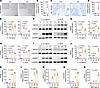
Inflammation driven by the innate immune response plays a crucial role in osteoarthritis (OA) pathogenesis, yet the underlying mechanisms remain incompletely understood. Moreover, current antiinflammatory therapies primarily offer symptomatic relief without altering disease progression. Nucleotide-binding oligomerization domain 2 (NOD2) is an intracellular pattern recognition receptor that detects a broad range of microbial and damage-associated stimuli and has been implicated in several inflammatory conditions. In this study, we investigated the role of NOD2 in OA-associated inflammation and cartilage degradation. Elevated NOD2 expression was observed in both human and mouse osteoarthritic cartilage. Conditional KO of Nod2 in chondrocytes suppressed inflammation-induced catabolic responses in vitro and protected against cartilage degradation in mouse OA models. Mechanistically, we identified tumor necrosis factor receptor–associated factor 6 (TRAF6) as a key downstream mediator through which NOD2 promotes chondrocyte catabolism. Furthermore, we showed that pharmacological inhibition of NOD2 using 2 independent small-molecule inhibitors significantly attenuated OA progression in vivo. Collectively, these findings establish NOD2 as a critical regulator of OA-associated inflammation and cartilage degradation, and they highlight its potential as a therapeutic target for disease-modifying OA treatment.
Authors
Yuting Wang, Song Li, Yonghui Dong, Jiaming Zhang, Jian Liu, Zhenggang Wang, Shuang Liang, Nathan R. Martinez, Hongxu Pu, Peng Cheng, Anmin Chen, Qing Yang, Charles K.F. Chan, Wen Jiang, Jun Xiao, Fengjing Guo, Liming Zhao
This file is in Adobe Acrobat (PDF) format. If you have not installed and configured the Adobe Acrobat Reader on your system.
Having trouble reading a PDF?
PDFs are designed to be printed out and read, but if you prefer to read them online, you may find it easier if you increase the view size to 125%.
Having trouble saving a PDF?
Many versions of the free Acrobat Reader do not allow Save. You must instead save the PDF from the JCI Online page you downloaded it from. PC users: Right-click on the Download link and choose the option that says something like "Save Link As...". Mac users should hold the mouse button down on the link to get these same options.
Having trouble printing a PDF?
- Try printing one page at a time or to a newer printer.
- Try saving the file to disk before printing rather than opening it "on the fly." This requires that you configure your browser to "Save" rather than "Launch Application" for the file type "application/pdf", and can usually be done in the "Helper Applications" options.
- Make sure you are using the latest version of Adobe's Acrobat Reader.


