
Abstract
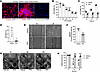
Autosomal dominant polycystic kidney disease (ADPKD) is a leading genetic cause of kidney failure, characterized by progressive cyst growth, inflammation, and interstitial fibrosis. Renal fibrosis, driven by myofibroblast activation and excessive extracellular matrix (ECM) deposition, is increasingly recognized as a key contributor to disease progression, yet targeted antifibrotic therapies remain limited. Here, we evaluated the therapeutic potential of pirfenidone to suppress fibrosis and disease progression in ADPKD. Single-nucleus RNA sequencing of human ADPKD kidneys identified fibroblasts as the predominant source of fibrous and adhesive ECM, with higher ECM-associated gene expression compared with that in normal kidney fibroblasts. In vitro, primary human ADPKD renal myofibroblasts displayed a similar profibrotic gene expression profile, and pirfenidone treatment suppressed ECM gene expression, cell proliferation, migration, and contractility. In the Pkd1RC/RC mouse model of ADPKD, pirfenidone reduced renal fibrosis, myofibroblast accumulation, ECM deposition, profibrotic gene expression, and associated signaling pathways and improved kidney function. Pirfenidone also reduced kidney enlargement but reduced cyst burden only in female mice. Collectively, these findings demonstrate that pirfenidone attenuates renal fibrosis and improves kidney function in ADPKD by suppressing myofibroblast activation and ECM production, supporting fibrosis as a therapeutic target and highlighting pirfenidone as a potential adjunct to cyst-directed therapies.
Authors
Viji Remadevi, Abeda Jamadar, Meekha M. Varghese, Haichun Yang, Sumedha Gunewardena, Darren P. Wallace, Reena Rao
This file is in Adobe Acrobat (PDF) format. If you have not installed and configured the Adobe Acrobat Reader on your system.
Having trouble reading a PDF?
PDFs are designed to be printed out and read, but if you prefer to read them online, you may find it easier if you increase the view size to 125%.
Having trouble saving a PDF?
Many versions of the free Acrobat Reader do not allow Save. You must instead save the PDF from the JCI Online page you downloaded it from. PC users: Right-click on the Download link and choose the option that says something like "Save Link As...". Mac users should hold the mouse button down on the link to get these same options.
Having trouble printing a PDF?
- Try printing one page at a time or to a newer printer.
- Try saving the file to disk before printing rather than opening it "on the fly." This requires that you configure your browser to "Save" rather than "Launch Application" for the file type "application/pdf", and can usually be done in the "Helper Applications" options.
- Make sure you are using the latest version of Adobe's Acrobat Reader.


