
Abstract
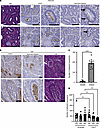
Dipeptidase-1 (DPEP1) is highly upregulated in colorectal cancer (CRC), with its enzymatic function linked to invasion and metastasis. More recently, DPEP1 was found to serve as a receptor for neutrophils when expressed by activated endothelial cells. It is unknown whether neutrophils bind to DPEP1-expressing CRC cells and whether this impacts features of CRC. Neutrophils have been shown to be tumor promoting in cancers including CRC, where they act to exclude CD8+ T cells. Herein, we show that neutrophils bind DPEP1-expressing CRC cells. In addition, DPEP1 is preferentially expressed in microsatellite-stable (MSS) CRCs, in which there are a paucity of CD8+ T cells, whereas DPEP1 is negatively correlated with microsatellite-unstable (MSI-H) CRCs, which are T cell rich and are more responsive to immunotherapy. Remarkably, carcinogen-treated Dpep1-null mice develop multiple, large, plaque-like, locally invasive adenocarcinomas and squamous cell cancers in the distal colon. These adenocarcinomas exhibit a marked reduction in neutrophils and an influx CD8+ T cells, along with reduced expression of mismatch repair proteins, consistent with features of MSI-H CRC. These results establish DPEP1’s importance in maintaining MSS CRC and its ability to shape the tumor microenvironment.
Authors
Sarah E. Glass, Matthew E. Bechard, Zheng Cao, Radhika Aramandla, Ping Zhao, Samuel T. Ellis, Emily H. Green, Elizabeth G. Fisher, Ryan T. Smith, Chelsie K. Sievers, Maria Johnson Irudayam, Frank Revetta, M. Kay Washington, Gregory D. Ayers, Cody N. Heiser, Alan J. Simmons, Yanwen Xu, Yu Wang, Annika Windon, Martha J. Shrubsole, Nicholas O. Markham, Qi Liu, Ken S. Lau, Robert J. Coffey
This file is in Adobe Acrobat (PDF) format. If you have not installed and configured the Adobe Acrobat Reader on your system.
Having trouble reading a PDF?
PDFs are designed to be printed out and read, but if you prefer to read them online, you may find it easier if you increase the view size to 125%.
Having trouble saving a PDF?
Many versions of the free Acrobat Reader do not allow Save. You must instead save the PDF from the JCI Online page you downloaded it from. PC users: Right-click on the Download link and choose the option that says something like "Save Link As...". Mac users should hold the mouse button down on the link to get these same options.
Having trouble printing a PDF?
- Try printing one page at a time or to a newer printer.
- Try saving the file to disk before printing rather than opening it "on the fly." This requires that you configure your browser to "Save" rather than "Launch Application" for the file type "application/pdf", and can usually be done in the "Helper Applications" options.
- Make sure you are using the latest version of Adobe's Acrobat Reader.


